I've been trading options through Tradier for years. Great API, solid brokerage, reasonable pricing. But as I've shifted more of my workflow into Claude Code and terminal-based AI agents, I kept hitting the same problem: there was no clean way to let my AI assistant interact with my brokerage account.
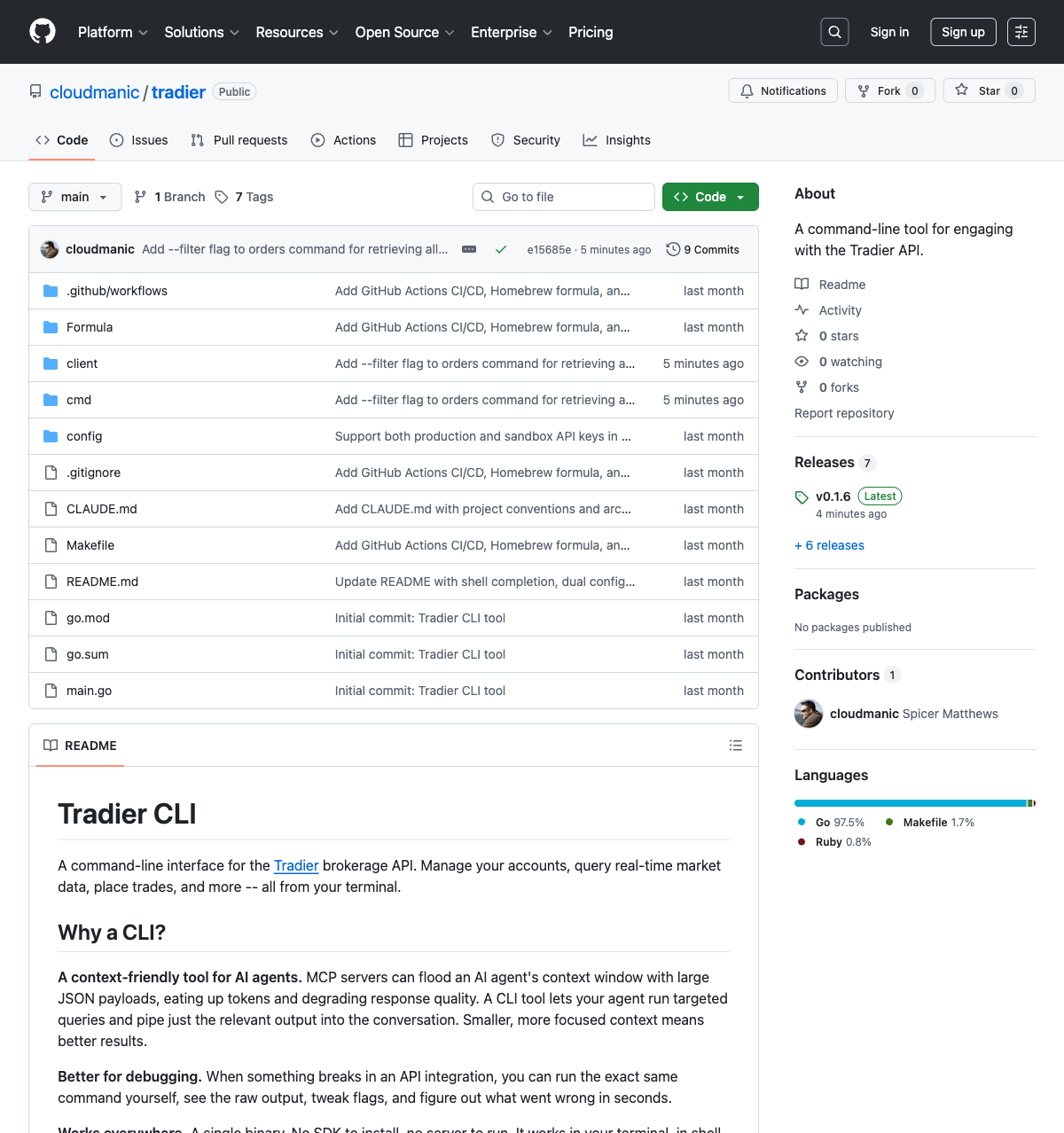
So I built one. A full command-line interface for the entire Tradier API. Every endpoint. Accounts, market data, options chains, trading, watchlists — all of it accessible from a single binary.
But the interesting part isn't the CLI itself. It's why a CLI is the right interface when your user is an AI agent.
The Problem with MCP Servers for Trading
The obvious approach to giving an AI agent access to a brokerage API is an MCP server. Define some tools, wire them up to the API, and let the agent call them directly. Simple, right?
In theory, yes. In practice, MCP servers have a fundamental problem when it comes to financial APIs: they flood the agent's context window.
When an MCP server returns data, the entire response gets injected into the conversation context. Ask for your positions? Here's a massive JSON payload with every field Tradier returns — cost basis, gain/loss, individual lots, IDs you don't need, metadata you never asked for. Ask for an options chain? You just blew through thousands of tokens on strike prices you don't care about.
Every token wasted on irrelevant API data is a token your agent can't use for reasoning about your actual question.
Context window size matters. Not just because of cost, but because AI agents reason better with focused, relevant context. Dumping a 50KB JSON blob of market data into a conversation designed around a specific trading question actively degrades the agent's ability to help you.
Why a CLI Is the Better Interface for AI Agents
A CLI solves this in a way that's almost embarrassingly simple. Instead of injecting entire API responses into context, the agent runs a shell command and gets back a clean, formatted result. The agent sees exactly what a human would see in their terminal — a focused table with the relevant data, nothing more.
MCP Server Approach
Agent calls tool → entire JSON response injected into context → thousands of tokens consumed → agent has to parse through noise to find what matters.
CLI Approach
Agent runs shell command → gets clean formatted output → minimal token usage → agent can focus on reasoning about the data.
And when the agent does need the raw data — maybe for calculations or further processing — every command supports a --json flag. Human-readable by default, machine-readable when you need it.
There's another advantage people overlook: debugging. When something goes wrong with an MCP tool, you're digging through logs and server code. When a CLI command gives unexpected results, you run the same command yourself and see exactly what the agent saw. Same input, same output. No abstraction layers to peel back.
What the Tradier CLI Does
The CLI covers the entire Tradier API — all 37 endpoints across six domains. Here's what you can do:
Account Management
Balances, positions, orders, gain/loss history, historical balances, and position groups — everything you need to monitor your account.
Market Data
Real-time quotes, historical OHLCV data, time and sales, market calendar, clock status, symbol lookup, and company search.
Options
Full option chains with Greeks, expiration dates, strike prices, and symbol lookup with filtering by type, strike, and expiration.
Trading
Place equity and options orders, multileg spreads (up to 4 legs), modify and cancel orders, with preview mode for validation before submission.
Watchlists
Create, update, and manage watchlists. Add or remove symbols. Keep your tracked positions organized.
Streaming
Create market data and account event streaming sessions for real-time data feeds.
A few examples of what this looks like in practice:
# Check your account balance
$ tradier accounts balance
# Get real-time quotes
$ tradier markets quotes --symbols AAPL,MSFT,GOOGL
# Pull an options chain with Greeks
$ tradier markets options-chains --symbol SPY --expiration 2026-04-17 --greeks true
# Preview a multileg options order before submitting
$ tradier trading place --class multileg --symbol SPY --duration day --type credit \
--option-symbol-0 SPY260417C00520000 --side-0 sell_to_open --quantity-0 1 \
--option-symbol-1 SPY260417C00530000 --side-1 buy_to_open --quantity-1 1 \
--price 3.50 --preview true
# See your top 10 trades by gain/loss
$ tradier accounts gainloss --sort-by gainloss --sort desc --limit 10
Every single one of those commands outputs a cleanly formatted table by default. Add --json to any of them for raw JSON output. This dual-mode output is what makes it work for both humans and AI agents.
How I Actually Use It with Claude Code
Here's where it gets interesting. The whole reason this CLI exists is to give Claude Code direct access to my brokerage. And in practice, the workflow is exactly as seamless as I hoped.
I can sit in a Claude Code session and say things like:
- "What are my current positions?" — Claude runs
tradier accounts positionsand tells me what I'm holding. - "What's the options chain look like for SPY expiring next Friday?" — Claude pulls the chain, analyzes the premiums, and can discuss strategies.
- "Place a bull put spread on AAPL" — Claude can construct the multileg order, preview it for my approval, and execute it.
- "How have my closed trades performed this month?" — Claude pulls gain/loss data, sorts it, and gives me a summary.
The AI agent has full context about my account, real-time market data, and the ability to execute trades — all through clean shell commands that don't bloat the conversation. It's like having a trading assistant that can actually see your portfolio and act on it.
The CLI turns Claude Code from a coding assistant into a trading assistant. Same terminal. Same conversation. Different capabilities.
Design Decisions That Matter
A few architectural choices in the CLI that are worth calling out:
Two Dependencies. That's It.
The entire CLI is built on just two Go libraries: Cobra for the CLI framework and go-pretty for table rendering. Everything else is standard library. Minimal dependencies mean fewer things that can break, fewer supply chain risks, and a single binary that just works.
Raw Bytes, Not Structs
The HTTP client layer never unmarshals API responses into Go structs. Every method returns raw []byte. The display layer handles all JSON navigation with generic map helpers. This means adding support for a new Tradier endpoint takes minutes, not hours. No struct definitions, no marshaling logic, no maintaining parity between Go types and API schemas. The API response is the data model.
OCC Option Symbol Formatting
If you've ever looked at a raw OCC option symbol like SPY260220P00657000 and had to mentally decode it, you'll appreciate this one. The CLI automatically formats these into human-readable form: SPY 02/20/26 $657 Put. Small touch, but it makes scanning options data dramatically easier — for humans and AI agents alike.
Sandbox Mode Built In
Every command supports a --sandbox flag that switches to Tradier's sandbox environment. This is critical for testing. You can let Claude Code experiment with order placement, test strategies, and validate workflows without risking real money. Run tradier init, enter both your production and sandbox credentials, and switch between them with a single flag.
The Bigger Picture: CLIs as AI Agent Interfaces
This project crystallized something I've been thinking about for a while. As AI agents become central to development and workflow automation, the tools we give them matter enormously. And right now, most of the industry is focused on MCP servers and tool definitions — basically, giving AI agents custom function calls.
But CLIs already exist. They're the original tool interface. They accept structured input, produce structured output, and they've been debuggable since the 1970s. Every AI coding agent already knows how to run shell commands. You don't need a protocol. You don't need a server. You just need a binary in the PATH.
CLIs Are Universal
Any AI agent that can run shell commands can use a CLI. No integration work. No SDK. No server to keep running. It just works.
CLIs Are Composable
Pipe output to jq, grep, awk, or another tool. Chain commands together. The Unix philosophy of small, focused tools applies perfectly to AI agent workflows.
CLIs Are Debuggable
When an MCP tool gives wrong results, you're reading server logs. When a CLI gives wrong results, you run the same command and see the same output. Instant reproducibility.
CLIs Are Context-Efficient
The agent sees clean, formatted output — not raw API payloads. Less noise in the context window means better reasoning about the data that matters.
I'm not saying MCP servers are bad. They have their place. But for data-heavy APIs like brokerage platforms, where responses can be massive and you need precise control over what enters your agent's context, CLIs are the more practical choice.
Install It and Try It
The Tradier CLI is open source and available on GitHub: github.com/cloudmanic/tradier.
If you're on macOS or Linux with Homebrew:
$ brew tap cloudmanic/tradier https://github.com/cloudmanic/tradier
$ brew install tradier
$ tradier init
Pre-built binaries are also available for macOS (Intel and Apple Silicon), Linux (amd64 and arm64), and Windows on the releases page.
You'll need a Tradier account with API access. Run tradier init to set up your credentials, and you're ready to go. I'd recommend starting with the sandbox environment to get a feel for things before pointing it at production.
What's Next
This is the tool I wanted, and now it exists. I'm using it daily with Claude Code to monitor positions, analyze options chains, and execute trades. The workflow is fast, the context stays clean, and the AI agent can actually reason about my portfolio without drowning in JSON noise.
If you're a Tradier user who works with AI coding assistants, give it a shot. If you're building tools for AI agents, consider whether a CLI might be a better fit than an MCP server for your use case. And if you have feature requests or find bugs, open an issue.
The best interface for an AI agent isn't always a new protocol. Sometimes it's the oldest one we have.
A command line. A single binary. Clean output. That's it.
If you're interested in the terminal-first AI workflow that led to this project, check out my earlier posts on going full circle back to the terminal and vibe coding a screenshot tool for Claude Code. They're all part of the same journey — building an AI-native development workflow, one tool at a time.